Reveal a part to begin the reference check.One click gives you a word. Matching photographs appear when available.
DRAWING PROMPT
Reveal any part. There is no correct order.
Mix 11 animal parts into a creature worth drawing. Keep the parts you love, explore photo references, and share the exact challenge with a friend.
Generate a whole creature, or roll one part at a time. Lock a favourite to keep it. Select an animal name to view its reference.
Roll a part. Keep a favourite.
3,446 original parametersSelect a result to see its reference. Your animal stays the same.
Reveal any part. There is no correct order.
Start with a silhouette, borrow a few details, and let your own drawing style connect the parts.
Use the base animal for weight and posture. Sketch its largest shapes before fitting the head, legs and tail. A tiny head on a heavy body can be the interesting part.
Select an animal name to inspect its photo without rerolling. Study the silhouette, joints or markings. Uncommon animals may have no photo; a missing reference does not stop your prompt.
Lock the features you like, then reroll the unlocked parts. Translate a difficult trait into a colour or texture instead of forcing every animal into the anatomy.
Generate a creature. Draw three tiny outlines using its body, head and tail. Pick the one you can recognise at a glance.
Lock the base body and generate three variations. Keep the same pose and change the features. Which combination feels most believable?
Share your chosen combination before you start. Draw separately, then compare how each of you solved the same awkward anatomy.
Pick one animal at random, or choose 3 or 5 with licensed pictures. Every result pairs an animal name with a licensed picture, source and attribution. Use this random animal reference generator for sketch practice, classroom games or writing prompts.
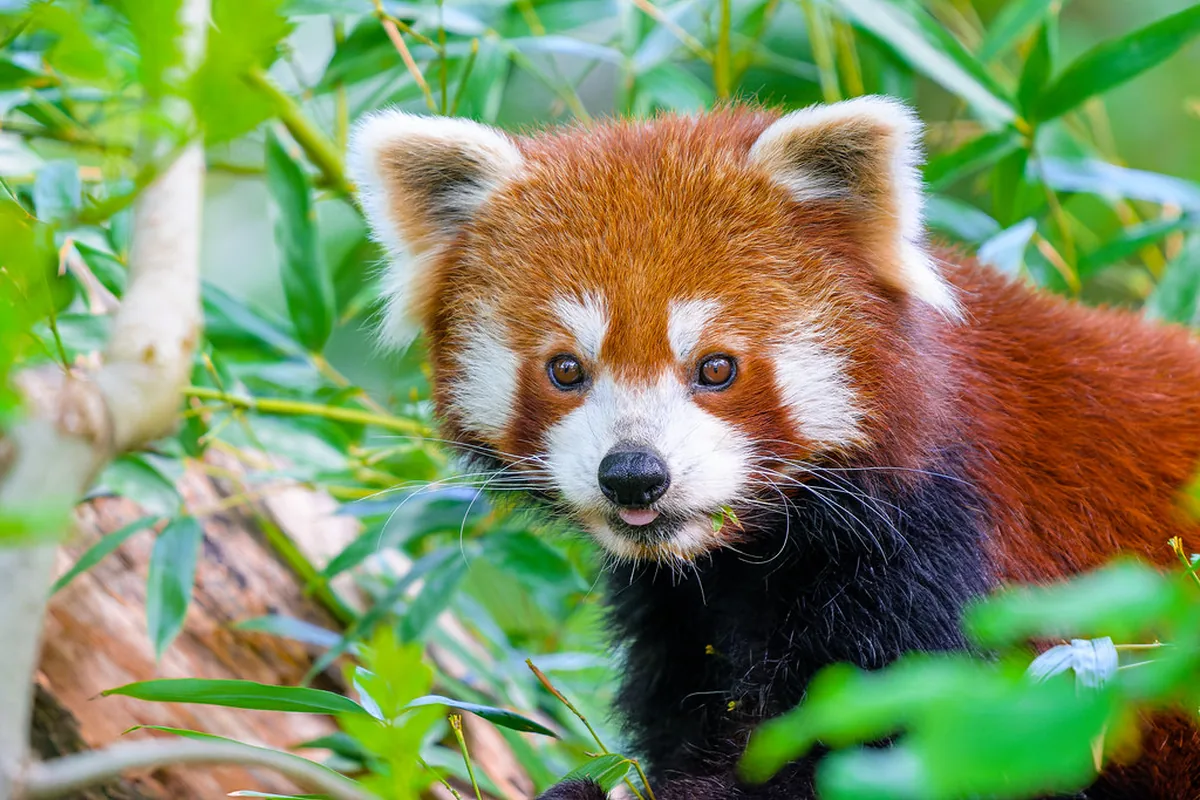
Photo by Mathias Appel. CC0 1.0. View source
Your first random animal is ready.
Your first creature is free. Pilot requests are fulfilled manually while instant generation and payments are being built.
Four quick answers about random picks, licensed pictures, drawing references and the hybrid builder.
The Random Animal Generator is a free drawing tool that combines 11 animal-inspired body parts into a hybrid creature prompt. You can also pick one, three or five real animals with licensed pictures for sketching or games.
Choose one animal for a quick sketch, or pick three or five for a classroom activity, writing prompt or drawing challenge. Every result includes a real licensed photo reference.
Hybrid mode combines 11 randomized animal traits into one creature brief. Lock your favourite parts, reroll the rest, and select a result to view its reference. Share the link to send your exact chosen combination, including rerolls.
Oddling is an independent Tuimiz-style random animal generator. Its 11-part hybrid mode uses the MIT-licensed parameter data from gracewqma's recreation, adds licensed photo references, and is not affiliated with Tuimiz.